

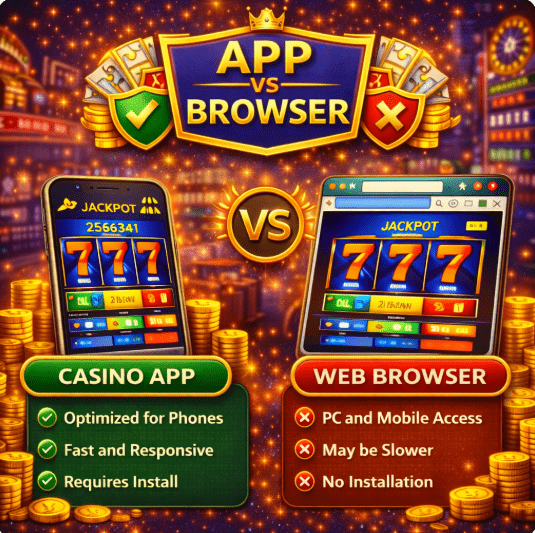
Casino App vs Browser in Singapore 2026 Comparison Guide
When accessing an online casino platform in Singapore, players typically choose between two options: installing a dedicated casino app or using a mobile browser version. Both methods allow you to deposit, play, and withdraw on your smartphone or tablet. However, performance, convenience, security, and installation risks can differ.
Because Singapore regulates remote gambling under the Gambling Regulatory Authority (GRA) framework, understanding how you access a platform is just as important as choosing which operator to use. This guide explains the key differences so you can decide which option suits your device, preferences, and risk tolerance.
What Is a Dedicated Casino App?
A dedicated casino app is a downloadable application installed directly on your Android or iOS device. It may be distributed through:
- Official app stores
- Direct
.apkdownload files (Android) - Progressive Web Apps (added to your home screen)
From 2026 onwards, many newer Android devices support more granular “verified sideloading” or security prompts that highlight whether an .apk is from a trusted source. Even with these safeguards, casino players should still treat any sideloaded app with caution and double‑check the operator’s official download link before installing.
If you are new to mobile gambling platforms, you may also review our broader Casino Apps Singapore guide for a full overview of real money mobile platforms.
What Is a Browser Casino?
A browser casino (also called a “no download casino”) runs directly through your mobile browser such as:
- Safari
- Chrome
- Edge
- Firefox
It uses HTML5 technology to mirror the desktop platform without requiring installation. You simply visit the website, log in, and play.
If you are unsure how to evaluate different operators, our How to Choose a Casino App in Singapore guide provides a structured checklist.
Key Differences: App vs Browser
1. Installation and Accessibility
Casino app
- Requires download or installation
- May need manual updates
- Takes up device storage
- Can offer home screen shortcut access
For Android, “verified sideloading” prompts can help flag risky .apk files, but you should still only install apps from the operator’s official site or recognised stores, not from random links or file‑sharing channels.
Browser version
- No installation required
- Automatically updated by the operator
- No storage usage beyond cache
- Accessible instantly via URL
For players who prefer minimal device risk, browser access avoids downloading files from external sources.
2. Performance and Speed
Dedicated apps may load faster after installation because certain elements are cached locally. Browser platforms depend more on internet stability. On modern devices with stable internet, performance differences are usually minimal for most casual play.
3. Security Considerations
Security is critical, especially in regulated markets like Singapore. Singapore authorities provide guidance on unlawful remote gambling activities and enforcement measures via the GRA’s unlawful remote gambling overview.
App security factors
- Risk of downloading unofficial or modified
.apkfiles - Need to verify installation source (check the official domain and store listing)
- Device permissions may apply (storage, notifications, biometrics)
- “Verified sideloading” is helpful but not a guarantee if you ignore warnings
Browser security factors
- Relies on HTTPS encryption
- No installation file risks
- Reduced exposure to tampered downloads
Players should always:
- Install only from trusted sources
- Avoid unofficial mirrors or modified apps
- Keep devices and browsers updated
- Use secure Wi‑Fi connections
4. Updates and Maintenance
Apps may require manual updates if distributed outside official stores. Failure to update can cause compatibility issues or leave you on an older, less secure version. Browser casinos update automatically on the server side, meaning players always access the latest version without reinstalling anything.
5. Notifications and Features
Dedicated apps may offer:
- Push notifications for promotions
- Faster login retention
- Biometric login support (fingerprint or Face ID)
- Slightly more responsive UI animations
Some players prefer fewer notifications to reduce impulsive gambling behaviour. For independent education on safe gambling habits, you can review resources from the National Council on Problem Gambling (NCPG).
Which Option Is Safer for Singapore Players?
Safety depends more on operator transparency than access method. However:
- Browser access reduces installation and sideloading risks
- Official store apps reduce tampering risks compared to random
.apkfiles - Unofficial
.apkdownloads carry higher exposure risk, even with “verified sideloading” prompts
Before registering with any operator, you may also review our full Casino App Comparison Guide for a structured evaluation framework.
Legal and Responsible Play Reminder
Singapore regulates remote gambling services under the Gambling Control framework. Only licensed or exempted operators may legally offer services to residents.
Players seeking help or information about self-exclusion and support services can consult the NCPG self-exclusion programme for official guidance.
If you feel pressured to keep playing or find yourself ignoring security warnings just to install an app, it is a sign to pause, reassess, and consider seeking help before continuing.